
Registering for TargetX Premier Education courses
Before You Begin
You’ll need a TargetX User Community login before registering for a Premier Education course. Administrators can see Using the TargetX User Community for instructions on adding new users.
Overview
Registering for the Premier Education Foundation course is a two-step process: first, you select and pay for the course, and then you choose the specific session you plan to attend.
Registering for a Premier Education Course
In this example, we’ll cover registering for the Foundations course. The process is the same for subsequent courses.
- Log in to the TargetX User Community and select the Premier Education tile:

- Locate the Foundations course and select Register Now:

Note: if you have not registered for TargetX Premier Education End User Foundations (Prerequisite Course) before, you will not be able to see other tracks until you are fully registered for the Foundations course and session.
- Locate the TargetX Premier Education End User Foundations (Prerequisite Course) and click Add:

- The Shopping cart will display, click Proceed to cart:

For details on Bulk Purchasing, see Bulk Purchasing in Liaison Academy. - On the next step, click Next Step: Checkout:

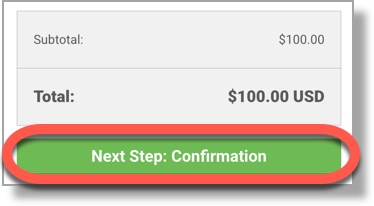
- Enter your payment information and click Next Step: Confirmation.
- If you have a coupon, click Coupon Code to apply it. Otherwise, click Complete Purchase.
- You will be returned to the Liaison Academy Home page. A banner will display informing you to register for one of the available Live Sessions:

A tag will also display on the course:
- Click the Course to proceed with the Session registration. Click View Sessions:

- A list of Available Sessions will display.
- Choose Register for the Session you plan to attend:

- Your registration is now complete!
You’ll receive an email confirmation with details on joining the session. You can also return to the course from your My Learning option and click Start Now, then Join Session:
