
My Applications
Overview
The My Applications section of Living Profile helps you track and manage your planned and in-progress applications in one place.
Programs you add to My Interests automatically appear in My Applications, making it easy to monitor opportunities you're considering. From this page, you can view key application details at a glance, including the program, CAS, application cycle, deadlines, and current application status.
Applying through My Applications
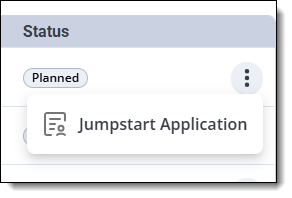
When you're ready to apply, click the three-dot menu next to an application and choose Jumpstart Application. This feature reuses eligible information you've already entered in Living Profile to prepopulate applicable sections of the application, helping you save time and reduce duplicate data entry.
Tracking Applications
If you already have an application in progress, click the three-dot menu and choose Open CAS to log in to your application.
Use the All Statuses drop-down menu to filter your applications by application status.
