
Product User Interface (UI) Terminology
To be researched:
- Chips (TargetX-renamed to 'tags', T2T) (ideas: indicator, source tag (but "tags" are used as an Outcomes feature)
Naming Conventions (ALL)
Standard UI elements are adapted from the Microsoft Writing Style Guide.
| Product | Location | Name | Terms to not use | Image |
|---|---|---|---|---|
| All | Standard UI elements | Window | Dialog or Pop-up | |
| All | Standard UI elements | Field | Box | |
| All | Standard UI elements |
Drop-down For TargetX use 'picklist.' |
Dropdown, Dropdown Menu | |
| All | Standard UI elements | Button | Omit "button" when obvious. For example, use "Click Save" instead of "Click the Save button." | |
| All | Standard UI elements | Radio button | ||
| All | Standard UI elements | Checkbox | ||
| All | Standard UI elements |
Type ahead field For TargetX use 'autocomplete' |
||
| All | Standard UI elements | Page | Screen | |
| All | Standard UI elements | Tab, subtab | ||
| All | Standard UI elements | Sidebar (TargetX) | ||
| All | Standard UI elements |
Navigation menu or Nav menu Typically for Outcomes-based products |
||
| All | Standard UI elements | Scroll bar | ||
| All | Standard UI elements | Icon | ||
| All | Standard UI elements | Data Type formats (e.g., exports from WebAdMIT) Refer to Oracle’s help center for date/time format translations |
||
| All | Standard UI elements | Since TargetX is built on the Salesforce platform, see the Salesforce Glossary | ||
| CAS Applicant Portal | Dashboard | ?? Navigation Menu |  |
|
| CAS Applicant Portal | Dashboard | ?? Card |  |
|
| CAS Applicant Portal | Dashboard | ?? Materials Statuses |  |
|
| CAS Applicant Portal | Dashboard | ?? Status Tracker |  |
|
| CAS Applicant Portal | Dashboard | Quadrant (Section can also be used) |  |
|
| CAS Applicant Portal | Dashboard | Section |  |
|
| CAS Applicant Portal | Dashboard | Notifications icon |  |
|
| CAS Applicant Portal | Dashboard | Help Center icon |  |
|
| CAS Applicant Portal | Dashboard | Applicant Menu (person icon) |  |
|
| CAS Applicant Portal | Dashboard | Ada chatbot |  |
|
| CAS Applicant Portal | Quadrant page | Section |  |
|
| CAS Application Builder | CAS page | Feature switches |  |
|
| CAS Application Builder | CAS page | Nav bar |  |
|
| CAS Application Builder | CAS page | Tiles |  |
|
| CAS Application Builder | CAS page | ?? Standard Question |  |
|
| CSU Transfer Planner | Student Portal | Menu |  |
|
| CSU Transfer Planner | Student Portal | Dashboard |  |
|
| CSU Transfer Planner | Student Portal | User Profile |  |
|
| CSU Transfer Planner | Student Portal | Button (or Card) |
Omit the term "button" when describing a step or action as long as the placement of the button in the UI is obvious. For example, use "Click Save" instead of "Click the Save button." |
 |
| CSU Transfer Planner | Student Portal | Help Menu |  |
|
| CSU Transfer Planner | Student Portal | My Account |  |
|
| CSU Transfer Planner | Student Portal | Tab |  |
|
| CSU Transfer Planner | Student Portal | Card |
|
|
| CSU Transfer Planner | Student Portal | Section Tab |  |
|
| CSU Transfer Planner | Student Portal | Tile |  |
|
| CSU Transfer Planner | University Portal Dashboard | Dashboard |  |
|
| CSU Transfer Planner | University Portal Dashboard | Sections |  |
|
| CSU Transfer Planner | University Portal Dashboard | Navigation Menu |  |
|
| CSU Transfer Planner | University Portal Dashboard | Settings Menu |  |
|
| CSU Transfer Planner | University Portal Dashboard | My Account Menu |  |
|
| CSU Transfer Planner | University Portal Dashboard | Charts |  |
|
| CSU Transfer Planner | University Portal Contacts Grid | Contact Type and Segments Selector |  |
|
| CSU Transfer Planner | University Portal Contacts Grid | Row |  |
|
| CSU Transfer Planner | University Portal Contacts Grid | Search bar |  |
|
| CSU Transfer Planner | University Portal Contacts Grid | List View/Map View toggle |  |
|
| CSU Transfer Planner | University Portal Contacts Grid | Filters |  |
|
| CSU Transfer Planner | University Portal Contacts Grid | Add Contact icon |  |
|
| CSU Transfer Planner | University Portal Contacts Grid | Grid Customizer |  |
|
| CSU Transfer Planner | University Portal Contacts Grid | Pagination | 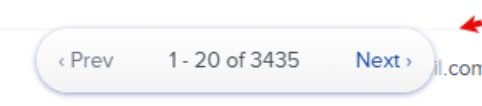 |
|
| CSU Transfer Planner | University Portal Contact Record | Contact View drop-down |  |
|
| CSU Transfer Planner | University Portal Contact Record | Groups |  |
|
| CSU Transfer Planner | University Portal Contact Record | Contact Header | 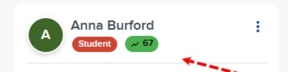 |
|
| CSU Transfer Planner | University Portal Contact Record | Tabs |  |
|
| CSU Transfer Planner | University Portal Contact Record | Contact Navigation |  |
|
| EMP | Dashboard | Menu | 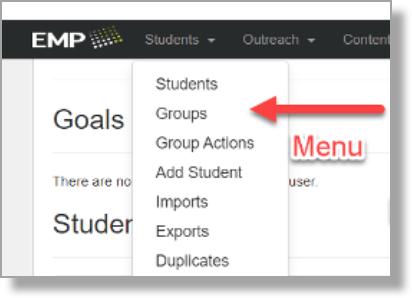 |
|
| EMP | Dashboard | Navigation bar | 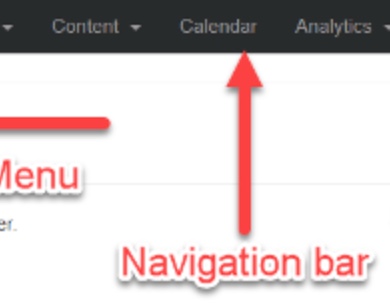 |
|
| EMP | Dashboard | Student search bar | 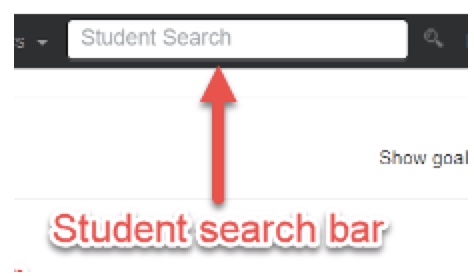 |
|
| EMP | Dashboard | Notification icon |  |
|
| EMP | Dashboard | Snapshots |  |
|
| EMP | Dashboard | Active users | 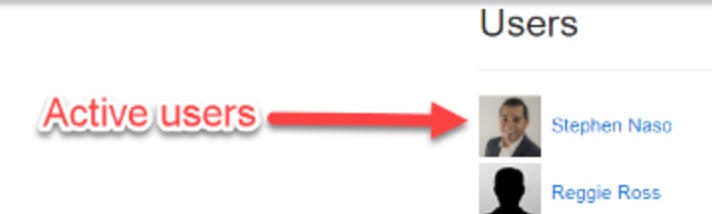 |
|
| EMP | PURL | Pages | 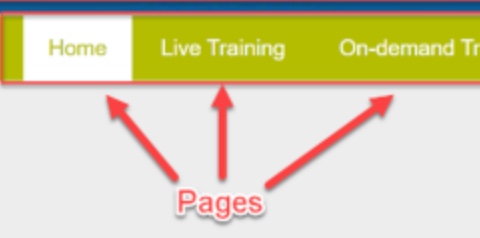 |
|
| EMP | PURL | Navigation bar |  |
|
| EMP | PURL | Widgets |  |
|
| EMP | PURL | Footer |  |
|
| EMP | Campaigns | Track | 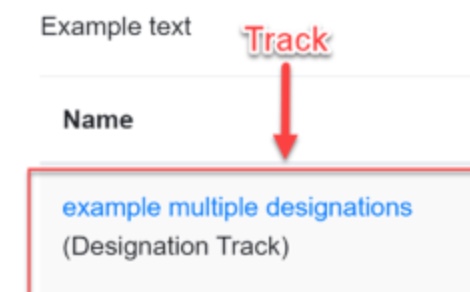 |
|
| EMP | Campaigns | Icon cluster |  |
|
| EMP | Campaigns | Add icon |  |
|
| EMP | Campaigns | Show/Hide icon |  |
|
| EMP | Campaigns | Edit pencil |  |
|
| EMP | Campaigns | Trash icon |  |
|
| EMP | Analytics | Option stack |  |
|
| EMP | Viewbook Templates | Widget |  |
|
| EMP | Viewbook Templates | Mover | 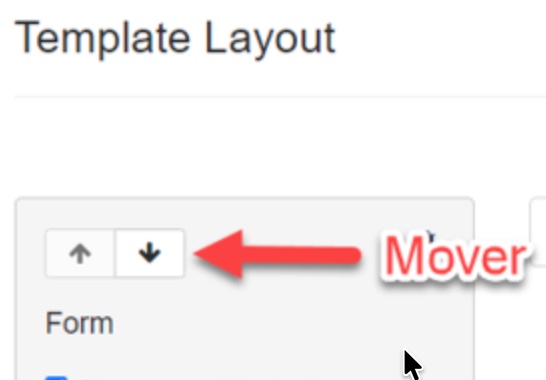 |
|
| EMP |
Miscellaneous |
Gripper |  |
|
| EMP |
Miscellaneous |
Touchpoint |  |
|
| EMP |
Miscellaneous |
Student Record |  |
|
| Liaison Analytics | CAS Switcher |  |
||
| Liaison Analytics | Dashboard Title | 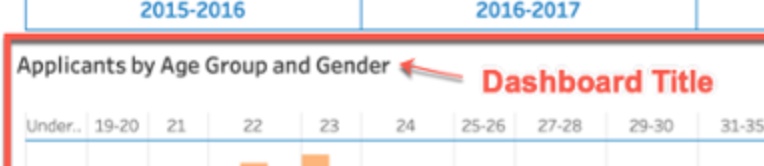 |
||
| Liaison Analytics | Tooltip Actions | 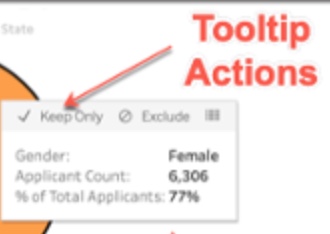 |
||
| Liaison Analytics | Element |  |
||
| Liaison Analytics | Tooltip | 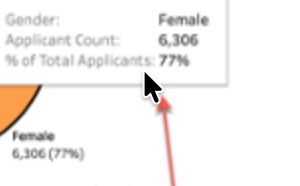 |
||
| Liaison Analytics | Visualizations |  |
||
| Liaison Analytics | Dashboard |  |
||
| Liaison Analytics | Dashboard Menu |  |
||
| Liaison Analytics | Dashboard Tabs | 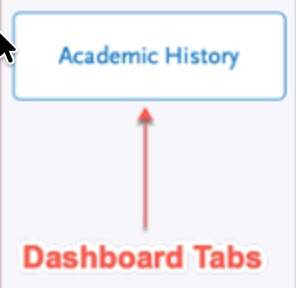 |
||
| Outcomes | Dashboard | Dashboard |  |
|
| Outcomes | Dashboard | Sections (previously called Modules) |  |
|
| Outcomes | Dashboard | Navigation Menu |  |
|
| Outcomes | Dashboard | Settings Menu |  |
|
| Outcomes | Dashboard | My Account Menu |  |
|
| Outcomes | Dashboard | Charts |  |
|
| Outcomes | Application Grid | Program and Segments Selector |  |
|
| Outcomes | Application Grid | Phase Pipeline |  |
|
| Outcomes | Application Grid | Application List | 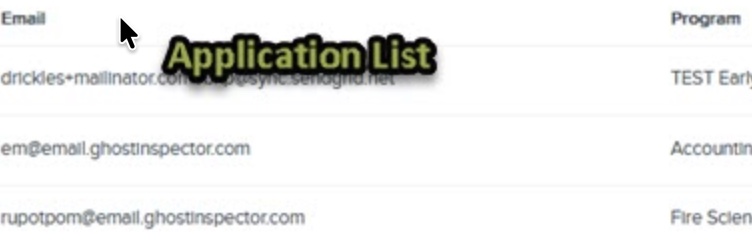 |
|
| Outcomes | Application Grid | Search bar |  |
|
| Outcomes | Application Grid | List View/Map View Toggle |  |
|
| Outcomes | Application Grid | Filters |  |
|
| Outcomes | Application Grid | Grid Customizer |  |
|
| Outcomes | Application | Application Menu |  |
|
| Outcomes | Application | Application Summary |  |
|
| Outcomes | Application | Application | 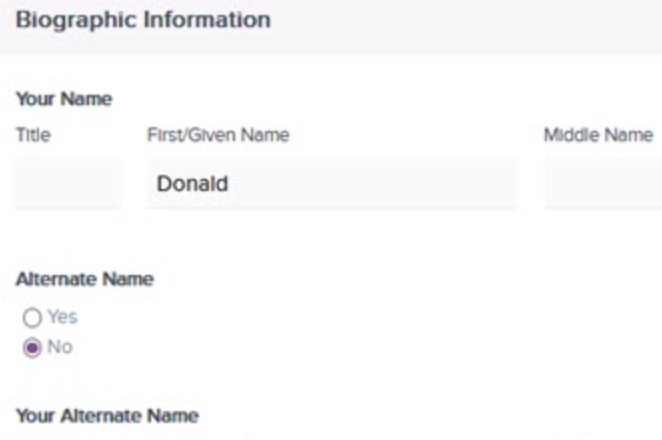 |
|
| Outcomes | Application | Application Navigation |  |
|
| Outcomes | Application | Application Tabs |  |
|
| Outcomes | Application | Application Sidebar | 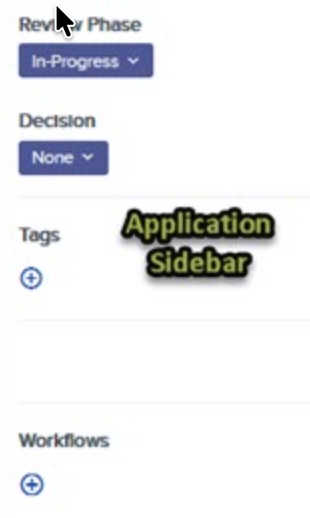 |
|
| Outcomes | Contacts Grid | Contacts Type and Segments selector | 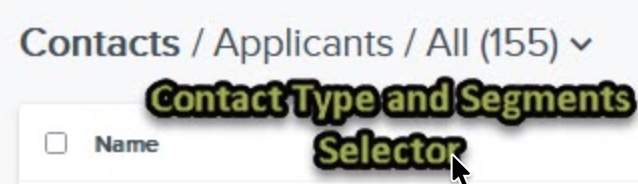 |
|
| Outcomes | Contacts Grid | Grid | 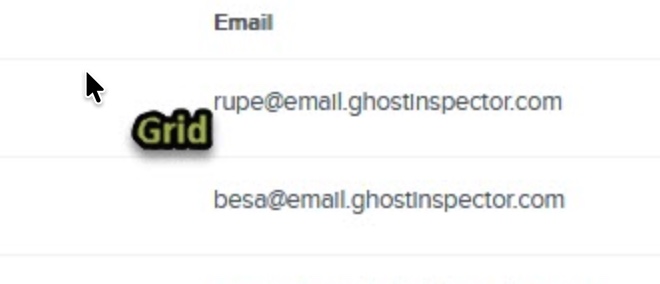 |
|
| Outcomes | Contacts Grid | Search bar | |
|
| Outcomes | Contacts Grid | List View/Map View Toggle | |
|
| Outcomes | Contacts Grid | Filters | |
|
| Outcomes | Contacts Grid | Add Contact icon |  |
|
| Outcomes | Contacts Grid | Grid customizer | |
|
| Outcomes | Contact Record | Contact Header |  |
|
| Outcomes | Contact Record | Contact Navigation |  |
|
| Outcomes | Contact Record | Tabs | 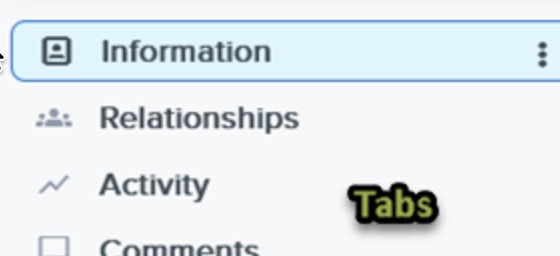 |
|
| Outcomes | Contact Record | Groups | 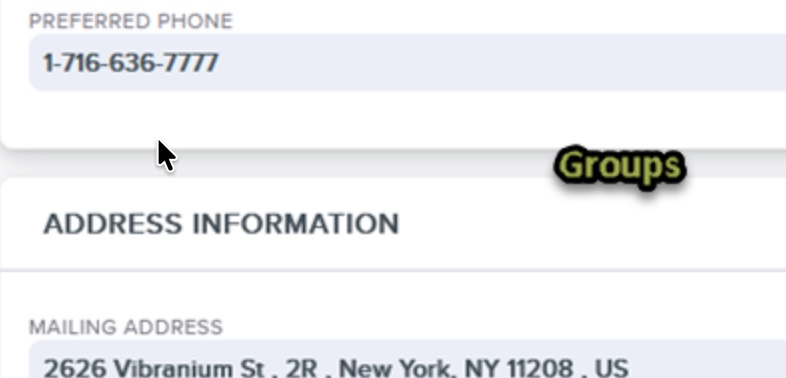 |
|
| Othot | *coming soon* | |||
| TargetX | TX SMS | Navigation Menu |  |
|
| TargetX | TX SMS | New message icon |  |
|
| TargetX | TX SMS | Inbox picklist |  |
|
| TargetX | TX Print | New <type> icon |  |
|
| TargetX | TX Print, User Management | Navigation Menu |  |
|
| TargetX | TX Print, User Management | List |  |
|
| TargetX | TX Print, User Management | Action Menu | 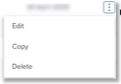 |
|
| TargetX | User Management | Invite User icon |  |
|
| TargetX | User Management | Tabs |  |
|
| TargetX | Campaign Builder | List |  |
|
| TargetX | Campaign Builder | Tabs |  |
|
| TargetX | Campaign Builder | Add record |  |
|
| TargetX | Campaign Builder | Bottom Navigation bar | ||
| TargetX | Campaign Builder | Action Menu |  |
|
| TargetX | Group Assignment | List |  |
|
| TargetX | Group Assignment | Tabs |  |
|
| TargetX | Group Assignment | Settings icon |  |
|
| TargetX | Group Assignment | Add record | |
|
| TargetX | Group Assignment | Object drop-down |  |
|
| TargetX | Group Assignment | Bottom Navigation bar |  |
|
| TargetX | Portal Builder | List |  |
|
| TargetX | Portal Builder | Sort drop-down | 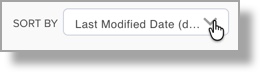 |
|
| TargetX | Portal Builder | Add record | |
|
| TargetX | Portal Builder | Canvas |  |
|
| TargetX | Portal Builder | Preview button |
Omit the term "button" when describing a step or action as long as the placement of the button in the UI is obvious. For example, use "Click Preview" instead of "Click the Preview button." |
 |
| TargetX | Portal Builder | Open sidebar |  |
|
| TargetX | Portal Builder | Section Options |  |
|
| TargetX | Portal Builder | up arrow/down arrow |  |
|
| TargetX | Portal Builder | Delete icon |  |
|
| TargetX | Portal Builder | Clone icon |  |
|
| TargetX | Portal Builder | Condition Set icon |  |
|
| TargetX | Portal Builder | Tabs |  |
|
| TargetX | TX Forms | Left pane |  |
|
| TargetX | TX Forms | Forms List |  |
|
| TargetX | TX Forms | Action Menu | 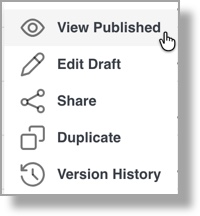 |
|
| TargetX | TX Forms | Preview icon |  |
|
| TargetX | TX Forms | TargetX Builder icon/Apps menu |  |
|
| TargetX | TX Forms | Section options |  |
|
| TargetX | TX Forms | Tabs |  |
|
| TargetX | TX Forms | Canvas |  |
|
| TargetX | TX Forms | Content Blocks |  |
|
| TargetX | Salesforce | Navigation | See Salesforce Navigation Trailhead, Navigate Lightning Experience Pages | |
| TargetX | Online Application - Form Builder | Object List |  |
|
| TargetX | Online Application - Form Builder | Reusable Forms List |  |
|
| TargetX | Online Application - Form Builder | Section Name | 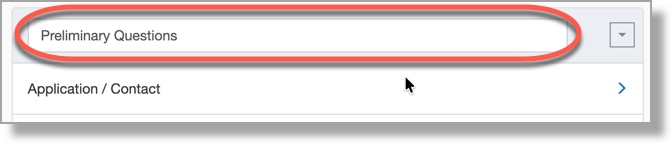 |
|
| TargetX | Online Application - Form Builder | Cards |  |
|
| TargetX | Online Application - Form Builder | Card Detail |  |
|
| TargetX | Online Application - Form Builder | Section Setup |  |
|
| TargetX | Online Application - Form Builder | Field Setup | 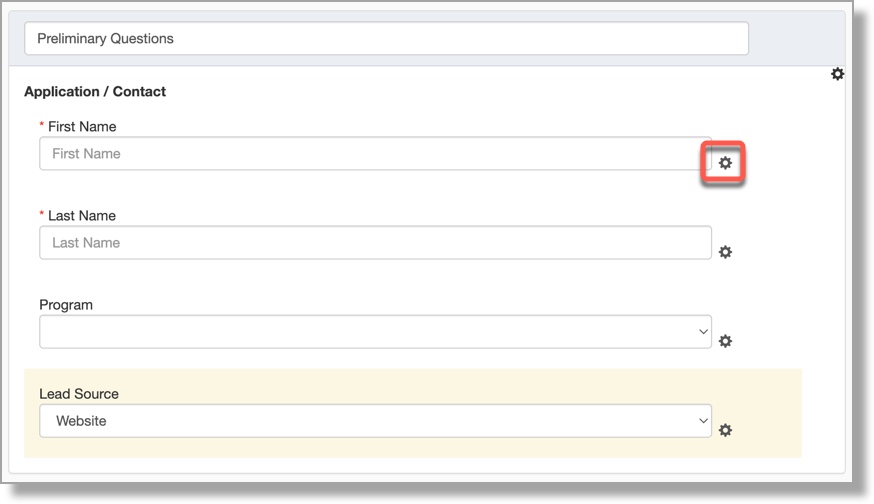 |
|
| TargetX | Application Review | Navigation Pane |  |
|
| TargetX | Application Review | Search |  |
|
| TargetX | Application Review | Page Controls |  |
|
| TargetX | Application Review | Zoom Controls |  |
|
| TargetX | Application Review | Fullscreen |  |
|
| TargetX | Application Review | Download |  |
|
| TargetX | Application Review | Tools | 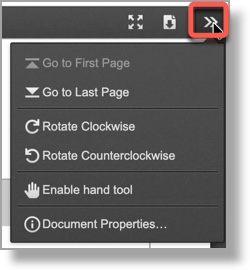 |
|
| TargetX | Application Review | Bookmarks/Scorecard toggle |  |
|
| WebAdMIT | Applicant Details page | Panel, subpanel | ||
| WebAdMIT | Dashboard | Channels (e.g., Applicant Channels and Status Channels) | ||
| WebAdMIT | Dashboard |
Menu bar |
Toolbar |

