
TargetX Integration
Users generally do not need to reauthenticate their Salesforce connection for TX SMS or TX Print after the upgrade. However, they should monitor their jobs, and if any issues occur during processing, the user running the job should reauthenticate their Salesforce connection.
To support future connected app updates for Salesforce and TX SMS/TX Print, it is recommended to install the TargetX Integration package. This package is required if you need to reauthenticate in the future. For new users in TX SMS and TX Print to connect to your CRM via Salesforce credentials, this app will need to be installed:
When prompted during installation, select the checkbox confirming that you acknowledge you are installing a non-Salesforce application that is not authorized for distribution through the Salesforce AppExchange Partner Program.
After installing this package, users should be able to re-authenticate their Salesforce users as normal.
If you previously installed the TargetX Integration Connected App in Setup > Connected Apps OAuth Usage due to the recent Salesforce security changes for Connected Apps, after installing the TargetX Integration package, you may encounter a page with an error code of OAUTH_APPROVAL_ERROR_GENERIC when attempting to authenticate with TX Apps:
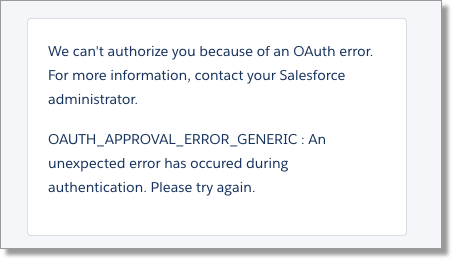
If this happens:
- Navigate to Setup and search for Connected Apps OAuth Usage.
- Click the Install button again for the TargetX Integration Connected App:
