Configuring Retention Dashboard Reports
The Dashboard page provides an at-a-glance view of analytics and a to-do or task list for the current user.
The Dashboard will display three Reports to the User. Dashboard Reports are configured in the Student Success Center Preferences.
Configure SSC Dashboard Reports
- Navigate to Reports.
- Create a New Report Folder.
Note: The Report Folder Name MUST be prefaced with SSC to display in the Configuration window.
- Name the folder with a Prefix of SSC.
- Create 3 different reports with report charts.
Note: The report must be configured with a report Chart, or it will not render correctly.
-
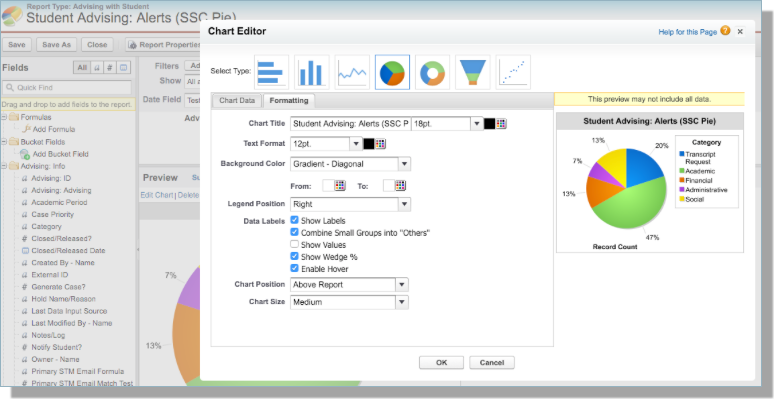
To set a Report Title or any other Report Chart Options that you would like to appear for each chart in the Student Success Center:
- Customize your SSC ReportA
- Select Edit Chart just above the Report Chart (in the top right)
- Select the Formatting tab
- Add Chart Title and other options - such as Data Labels
For more information on Adding a Report Chart to a Report, see Salesforce's Help and Training: Add a Chart to a Report.