Overview
As we evaluate product feedback and release new features, key updates will be listed below. If you have any questions about these features, contact a member of your account team or support.
Recent Updates
Disclaimer: on rare occasions, a new feature or enhancement may be moved to a future release or otherwise subject to change.
February 1, 2026 Update
Reorder Panels and Subpanels on Applicant Details Page
This enhancement is automatically available for use by all CASs and participating programs. No action is required on the part of any association, school, or program. Contact a member of your account team for more information.
You can now reorder the panels and subpanels on the Applicant Details page by dragging and dropping. Your reordering is unique to your WebAdMIT account and allows you to prioritize the applicant information most important to you and your review process. Note the following:
- The Applicant Header cannot be moved and stays at the top.
- As a best practice, minimize (i.e., close) your panels before you reorder them; panels with a lot of data may be harder to move based on your computer's display settings. You can reopen your desired panels after you're done reordering them.
- The panels and subpanels you see are set in Work Groups.
- If a panel or subpanel is removed from your Work Group, it will be removed from your view.
- If a panel is added to your Work Group, it will be added at the end of all your panels.
- If a subpanel is added to your Work Group, it will be added to the far right of the panel.
- You need to set your panel order in each CAS and cycle of WebAdMIT; it is not included in the Transfer Settings.
- You can only reorder panels for applicants you have full visibility rights for; you cannot reorder panels for partial (i.e., limited) visibility, such as applicants in the On Hold application status.
This enhancement was inspired by user feedback via the Ideas Portal.
Deactivation for Inactive Accounts
This enhancement is automatically available for use by all CASs and participating programs. No action is required on the part of any association, school, or program. Contact a member of your account team for more information.
Users who haven't logged in to WebAdMIT in the past 18 months have had their accounts deactivated. This enhances the security of WebAdMIT and ensures only current and active users can access applicants and admissions data. To learn more about this and review best practices, visit the Managing Users page.
December 7, 2025 Update
Updated Advisor Documents Report
This enhancement is automatically available for use by all CASs that collect final decisions. No action is required on the part of any association, school, or program. Contact your Account Manager for more information.
You can now access the Advisor Documents report that contains preliminary decision data for the 2024-2025 cycle. Only applicants who authorized release of their data to advisors at their primary college attended are included in this report.
November 2, 2025 Update
Note that for the enhancement below, UAP users only have access to the List Manager and Export Manager.
New Search Field to Filter Application Fields List
This enhancement is automatically available for use by all CASs and participating programs. No action is required on the part of any association, school, or program. Contact a member of your account team for more information.
The following features now include a Search field that helps you quickly locate fields used to build your templates:

October 5, 2025 Update
Placeholder Field Available in Export Manager
This enhancement is automatically available for use by all CASs and participating programs. No action is required on the part of any association, school, or program. Contact a member of your account team for more information.
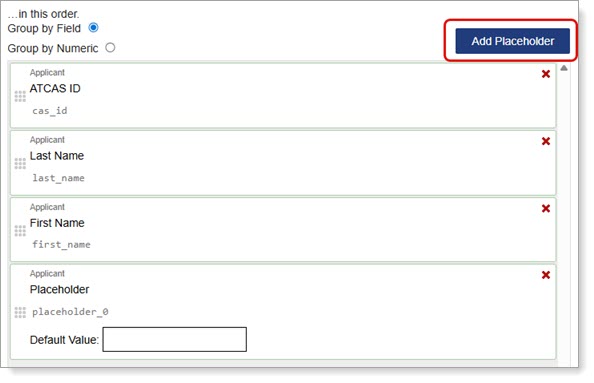
To help with data exports and integrations, a new Placeholder field is available in the Export Manager. You can use this field to create space on an export for your Student Information System (SIS) needs or to preemptively create space for new, upcoming fields.
You can add a Placeholder field by clicking the Add Placeholder button on the right side above your chosen fields. See the Exporting Data via the Export Manager page for more guidance and best practices.
This enhancement was inspired by user feedback via the Ideas Portal.
August 3, 2025 Update
Menu Bar and Page Header Remain Within Easy Access
This enhancement is automatically available for use by all CASs and participating programs. No action is required on the part of any association, school, or program. Contact a member of your account team for more information.
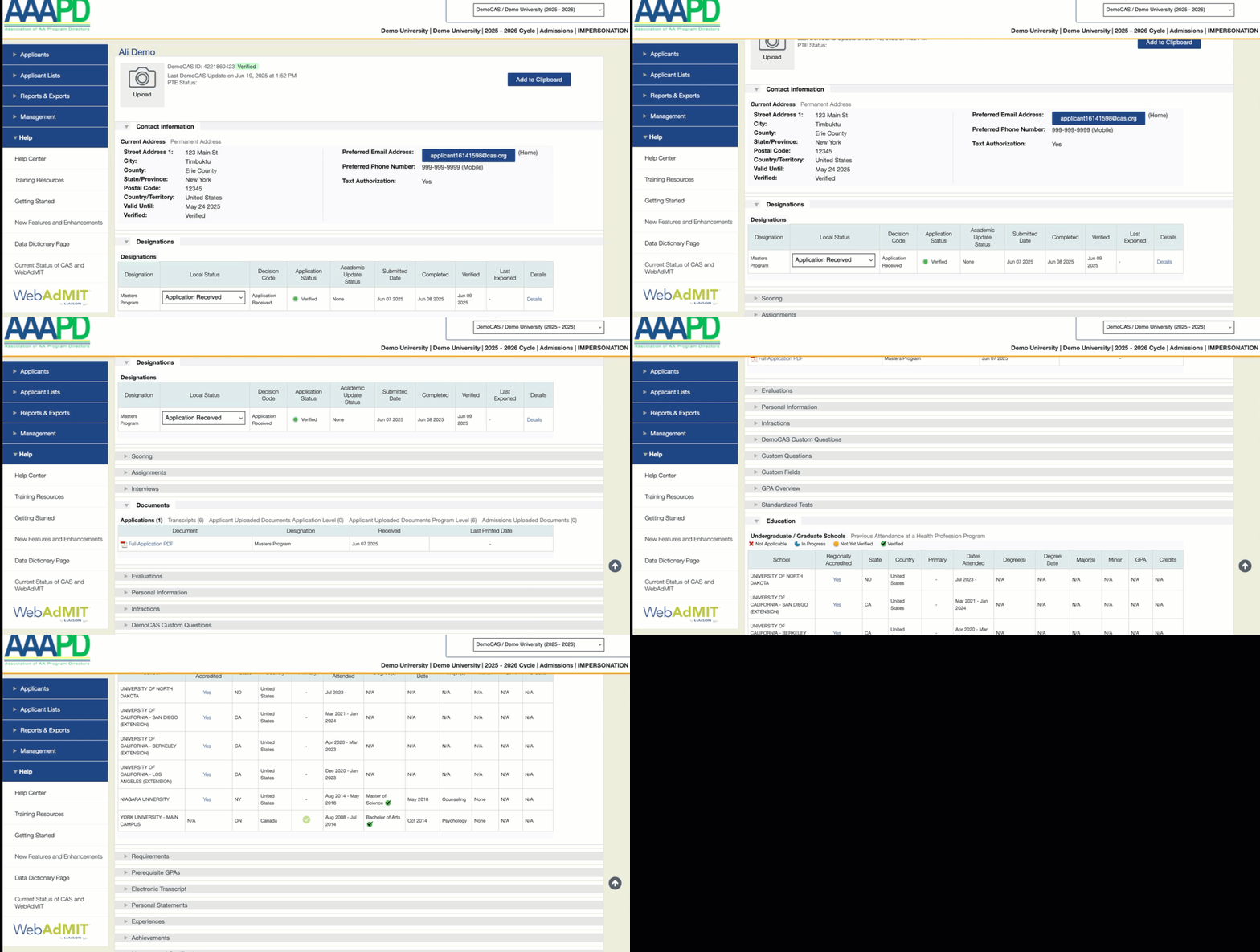
When you scroll down a page in WebAdMIT, the Menu Bar on the left and the page header (which includes the Dashboard and Account links and the cycle switcher) at the top of the page now remain within easy access. Previously, the Menu Bar and page header were static on the page and would disappear when you scrolled down.
April 6, 2025 Update
Updated Help Center Link
This enhancement is automatically available for use by all CASs. No action is required on the part of any association, school, or program. Contact your Account Manager for more information.
The Help Center link under the Management panel now directs you to the new Universal Advisor Portal Help Center; previously, it pointed to the WebAdMIT Help Center, which used to host this content and has a link to the new UAP help center. This change ensures you have the most accurate information quickly at your fingertips.
February 2, 2025 Update
New Universal Advisor Portal Help Center
This enhancement is automatically available for use by all CASs and participating programs. No action is required on the part of any association, school, or program. Contact a member of your account team for more information.
The existing Universal Advisor Portal (UAP) help content has been migrated to the new Universal Advisor Portal Help Center. This help center includes all the existing documentation, videos, and guides for the UAP, and now lives separately from other product help centers.
Updated Advisor Documents Report
This enhancement is automatically available for use by all CASs that collect final decisions. No action is required on the part of any association, school, or program. Contact your Account Manager for more information.
You can now access the Advisor Documents report that contains preliminary decision data for the 2023-2024 cycle. Only applicants who authorize releasing their data to advisors at their primary college attended are included in this report.
January 5, 2025 Update
Applicants Immediately Visible on Search Pages
This enhancement is automatically available for use by all CASs and participating programs. No action is required on the part of any association, school, or program. Contact a member of your account team for more information.
Applicants are now visible by default on the Search page in the Universal Advisor Portal. Previously, applicants were hidden until you ran a search.
